
Total Area79,581sq ft
- Boundary81,428 sq ft
- Islands subtracted1,847 sq ft
- Edging886 ft
Sealcoating bids built from the real square footage
Draw the lot boundary on the image and cut out what you will not coat. The area becomes gallons of sealer, labor hours and a price, set by your coverage rate, your coats and how you apply it.
14-day Pro trial. No card needed.
The square footage, without the wheel
A sealcoating price rides on the square feet. Measure short and you buy sealer out of your margin. Measure long and you lose the bid. In LineStriper AI you click around the lot on the image and the area is there, to scale, before you leave the office.
Real lots are not rectangles. Draw the outer boundary, then subtract the islands, the building and the concrete pad by the dumpster. Trace the edges your crew cuts in by hand and the edges they mask, and both are totaled in feet.
What you measure
- The lot boundary, in square feet
- Areas to subtract, such as islands and buildings
- Edging, in linear feet
- Masking, in linear feet
On the lot above
- Lot boundary
- 81,428 sq ft
- Six islands subtracted
- 1,847 sq ft
- Total Area to coat
- 79,581 sq ft
- Edging along the curbs
- 886 ft
A sample lot drawn for this page. A measurement from an image is an estimate: check the lot in person before you rely on it for a bid or a material order.
From the area to gallons, hours and a price
The estimate turns the area into what the job takes. You set your coverage rate once, in square feet per gallon. On each estimate you choose the coats, the pavement texture and whether the crew uses a wand or a spray bar, and the gallons and labor hours follow. Rough, open pavement drinks more sealer than a tight surface, and the texture level accounts for it.
Price it the way you already do: build it up from sealer and labor with your markups, your margin, a preparation charge and your minimum price, or charge by the square foot.
What you set on each estimate
- One, two or three coats
- Pavement texture, level 1 to 5
- Wand or spray bar
- Margin, preparation charge and extra fees
What the estimate works out
- Gallons of sealer
- Labor hours
- A subtotal, sales tax and total for the service
Scene 02On the lot, morning Project
Bayfield Commons restripe
Site address4120 Tanager RoadClientElaine Marsh, Corbel Property GroupFiles and Media
Site VisitMon, May 4
0:42Site plan.pdfFiles5 photos and 1 video for the quote and the crew. The site plan stays with the project.
On site: the project, photos and a video
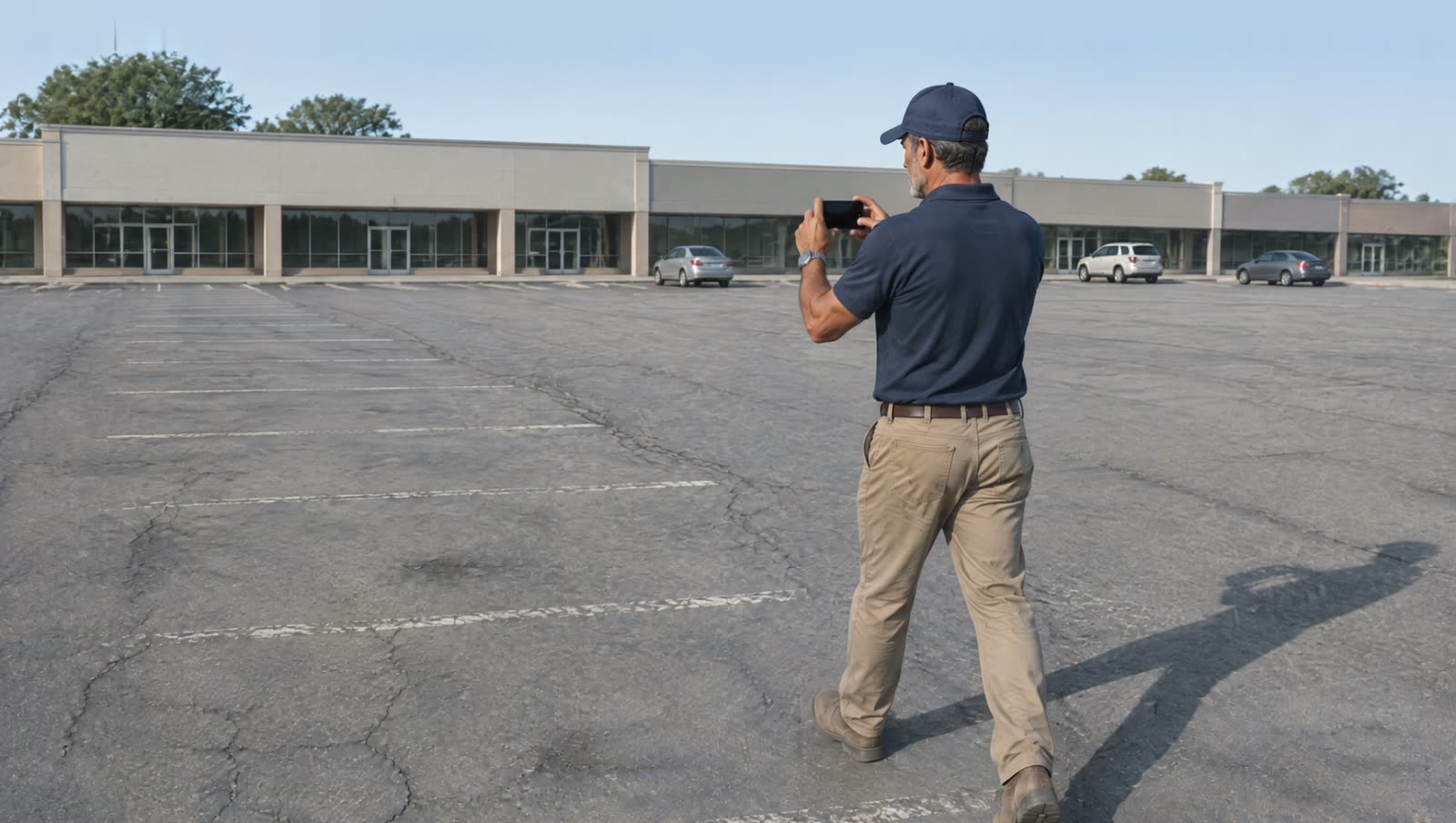
The contractor drives to the lot, starts the project on his phone and walks the lot taking photos and a video. They upload straight into the project, ready for the quote and for the crew, and the project keeps its documents too, such as a site plan PDF.
In the appProjects and Files and Media

Scene 04At the office Estimate
Bayfield Commons restripe
Line StripingSubtotal$3,860.00Sales tax, 8.1%$312.66Total$4,172.66Crack SealingSubtotal$1,240.00Sales tax, 8.1%$100.44Total$1,340.44Quote total$5,513.10Service
Line Striping
Item Color Qty Stall lines White 194 Arrows White 10 Handicap symbols Blue 6 Fire lane stencils Red 4 Curb Red 236 ft Photos from the site visit.
TSTallgrass Striping Co.Quote
Bayfield Commons restripe
4120 Tanager Road
Total$5,513.10For Elaine Marsh
The estimate becomes the quote
The counts become an estimate priced with his own rates, with a total for each service and one total for the job. One step later it is a branded quote: his logo, a cover page with the lot, each service in its own table, photos and his terms.
In the appEstimating and quotes

Scene 05At the client’s office Quote, Bayfield Commons restripeApprovedTotal$5,513.10By signing you accept this quote and its terms and conditions.
Elaine Marsh, Corbel Property GroupWed, May 6Signed PDF stored. The office is notified.
The quote is sent and signed
He sends the quote from the app, and the client gets an email in his company’s name with a link to it. The client opens it on a phone or a computer and signs, and the project moves to Approved while the office is told.
In the appSend to Client and e-signature


From the price to the finished job
The estimate becomes a quote with your logo, and the description can state the square feet and the coats for you. Your customer opens a link and signs. The signed quote becomes the crew's scope: the area, the coats, the gallons and the hours, with no prices on it. At the end of the day the crew files a report with photos, and the office sees the status change. When the work is complete, the office creates the invoice in QuickBooks Online from the signed quote. The QuickBooks connection is part of Pro plans and above.

Scene 06At the office, with the crew lead Scope
Line Striping
Bayfield Commons restripe, Tue, May 12
- Front LotStreet rows and the first double row
- Back LotTwo double rows and the fire lane
Quantities Stall lines 194 Center, front lines 1,128 ft Handicap symbols 6 Arrows 10 Curb, red 236 ft Materials, labor White paint 18 gal Blue paint 2 gal Red paint 3 gal Labor 16 hrs NotesBack Lot first, before the shops open, then the Front Lot. Cone off each aisle until the paint is dry.
Checklist
Lot swept before painting
Every row photographed
Cones and tape picked up
Crew
Andre, lead
Priya
The Phases and the scope are set for the crew
Before the crew shows up, the office gets the job ready. The lot is split into Phases, and each service on the signed quote is a scope for the crew: what to do, how much, who is on it and when.
In the appPhases and crew scopes

Scene 07On the lot, the job done Daily report, Tue, May 12
Line Striping
Bayfield Commons
In ProgressOn HoldCompleteLot swept before painting
Every row photographed
Cones and tape picked up
All rows done. Fire lane curb took a second coat.
The office is told when it is submitted.
The daily report from the finished lot
The lot is finished and freshly striped. A crew member files the day’s report from a phone, with the status, a short checklist, notes and photos, and the office sees the job move without a phone call.
In the appDaily field reports

Scene 09At the office, end of day TSInvoice 1042InvoicedPaidBill to Corbel Property Group. Thu, May 14.
Line Striping$3,860.00Crack Sealing$1,240.00Sales tax, 8.1%$413.10Amount due$5,513.10Created in QuickBooks Online from the signed quote.
The invoice
The job ends with an invoice, created in QuickBooks Online from the signed quote and sent to the client. When it is paid, the project shows Paid.
In the appQuickBooks Online invoicing


What it does for a sealcoating contractor.
Square feet from a boundary you draw
Click around the lot on the image to draw its boundary. The area is measured to scale and shown as Total Area.
Islands and buildings cut out
Add a boundary for each area you will coat and subtract the ones you will not, such as islands, buildings and concrete pads. The total follows.
Edging and masking in feet
Trace the edges you cut in by hand with the Edge tool and the edges you mask off with the Mask tool. Each is totaled in linear feet and priced with its own rate.
Coats, texture and method on every estimate
Choose one, two or three coats, a pavement texture level from 1 to 5 and whether the job is done by wand or by spray bar. Gallons and hours move with each choice.
Gallons from your own coverage rate
Set your material rate in square feet per gallon once. The estimate adjusts it for the pavement texture and the number of coats and works out the gallons.
Labor from your own production rates
Wand work and spray bar work each have your own production rate in square feet per hour. The estimate turns the area into labor hours for the method and coats you chose.
Cost buildup or a price per square foot
Build the price up from sealer and labor with your labor rate, markups, margin, preparation charge, fees and minimum price, or charge a unit price for the area and the footage.
A satellite view or your own image
Search the address and work on a satellite view where the scale is set for you, or upload your own aerial image or a page from a PDF plan and set the scale with one known distance.
A quote that states the area and the coats
Your quote description can fill in the square feet and the number of coats from the estimate. The customer signs online, on a phone or a computer.
A scope the crew can work from
The signed quote becomes the crew's scope, with the square feet, the coats, the edging, the masking, the gallons and the labor hours and no prices. The crew files a daily report with photos.
Big properties split into Phases
Split a property into Phases, such as a front lot and a back lot coated on different days. Each Phase keeps its own boundaries and its own scale.
Works with QuickBooks Online, HubSpot and Google Drive.
Pro, Pro+ and Enterprise plans
QuickBooks Online
Create invoices in QuickBooks Online from the quote your customer signed, with nothing typed twice. As invoices go out and payments are recorded in QuickBooks, the project moves to Invoiced and then Paid.
Pro, Pro+ and Enterprise plans
HubSpot
Keep HubSpot deals, contacts and companies in step with your projects and clients. A deal that reaches your quote stage becomes a project, and quotes, signatures and invoices show up as notes on the deal.
Every plan
Google Drive
Bring photos, videos and documents from Google Drive straight into a project’s Files and Media. It works in a browser on a computer, not on a phone or a tablet.
Start with 14 days of Pro, free.
Measuring, estimating, quotes with e-signature, scheduling and field reports are in every plan, and so is bringing files in from Google Drive. The QuickBooks Online and HubSpot integrations are in Pro, Pro+ and Enterprise plans.
Standard
$19.99a month
1 user
Every feature except integrations
Pro
$49.99a month
5 users
Adds the QuickBooks Online and HubSpot integrations and priority feature requests
Pro+
$79.99a month
10 users
Everything in Pro, for larger teams
Enterprise
Contact us
Custom user limit
Every feature, with a user limit set for your organization
Questions and answers.
How do I measure a lot with islands and buildings in it?
Draw the outer boundary, then draw each island or building and set it to subtract. The total area is what is left.
Does the estimate change with the condition of the pavement?
Yes. Choose a pavement texture level from 1 to 5 on the estimate, and the coverage is adjusted for it. A guide in the app shows what each level looks like.
Can I price by the square foot?
Yes. Charge a unit price for the area and for the footage, or build the price up from gallons and labor with your markups and margin. You choose the method for each estimate.
Can I quote one coat and two coats?
The estimate prices the number of coats you choose, one, two or three. Change the coats and the gallons, the hours and the price follow.
How accurate is an area taken from an image?
It is an estimate from the image and the scale. Imagery can be out of date or hidden by trees and cars, so check the lot in person before you rely on the number for a bid or a material order.
Does it work on a phone?
Yes. LineStriper AI runs in a browser on a phone, a tablet or a computer, with nothing to install.

Measure your next lot.
Start a trial, search the address or upload your own image, and draw the boundary.
14 days of Pro, free. Sign in if you already have an account.