LineStriper AI

Every sign on the plan, with the right words at the right stall

Add signs as your own service. Put a label at each sign location on the lot image, price each sign and post, and hand the crew a plan that shows what goes where.

Start free trialBook a demo

14-day Pro trial. No card needed.

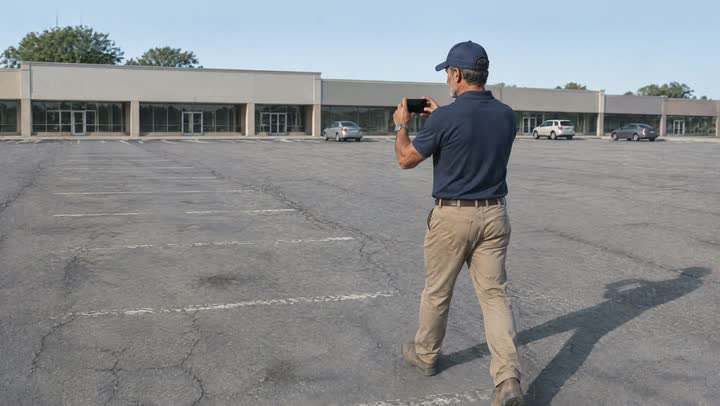
He walks the faded rows and photographs them.
Scene 02 / On the lot, morning

The sign is cheap. The wrong sign in the wrong place is not.

A sign job is a list of locations. This sign at this stall, that one at the fire lane, a stop sign at the exit. Lose the list and the crew makes a second trip. In LineStriper AI the list is the plan: a label on the lot image at each location, with the words the sign carries.

Signs usually ride along with striping. The labels sit on the same image as the stalls and the accessible spaces, so the plan shows which sign stands at which stall, and both go out on one quote.

Priced the way you sell them

LineStriper AI does not come with a sign estimate. You add signs once as your own service: a price per sign, a price per post, a price for taking an old one down. Keep the signs and posts in Inventory and the estimate carries their cost.

You decide which signs a lot needs. The app draws and prices your layout. It does not certify that a lot meets accessibility rules or any local code.

How it is priced

Priced your way, from the lot image.

Signs are sold by the piece, and the post is often a second price. A sign on an existing post, a sign with a new post in the ground and a sign on a base that bolts down are three different jobs. Set a unit price for each, or one price per sign and one per post.

Units you can set it up with

  • Each, for a sign supplied and mounted
  • Each, for a post or a base
  • Each, for removing an old sign

Built-in estimates cover line striping, crack sealing and sealcoating. Signs is a service you add once, with your own pricing and your own wording on the quote.

What you count

  • Signs to supply and mount
  • Posts and bases
  • Old signs to take down

What the plan shows

  • Where each sign goes
  • What each sign says
  • The stalls, aisles and lines around it

What it does

What LineStriper AI does for signs.

  • A label at every sign location

    Place a text label on the lot image where each sign goes and type what the sign says. Bill the labels to your sign service and each one is counted and priced.

  • A price for each kind of sign

    Set up the service once with a unit price, or build the price from labor hours and materials with your markup and margin. Keep signs and posts as separate services when you price them apart.

  • Signs next to the stalls they belong to

    Signs are drawn on the same image as the stalls, the accessible spaces and the fire lane, so the plan shows which sign stands at which stall.

  • Your wording on the quote

    Write the description and the service notes once, such as what is included with each sign and who supplies the posts. Every quote starts with them and you can edit them for the job.

  • The plan in the crew's hands

    Add the marked up plan to the crew's scope as a photo. The scope lists the hours and the materials with no prices, and the crew reports with photos of each sign in place.

  • Signs and posts from your Inventory

    Link the service to the signs and posts you stock, so the estimate carries their cost and Inventory shows what scheduled jobs will use.

Questions

Questions and answers.

Does the app tell me which signs a lot needs?

No. You decide what the lot needs. The layout tools help you draw and price it, and they do not certify that a lot meets accessibility rules or any local code.

Is there a built-in sign estimate?

No. Built-in estimates cover line striping, crack sealing and sealcoating. Signs are a service you add once in Settings with your own price for each.

Can I quote signs with a restripe?

Yes. Striping and signs sit on the same quote, each in its own table with its own total, and the customer signs once.

How does the crew know what goes where?

Their scope can carry the marked up plan as a photo, with a label at each sign location.

The tailgate closes. The phone rings again.
At the workshop, next morning

Add signs to your next quote.

Start a trial, add the service with your own pricing, and draw the next lot.

Start free trialBook a demo

14 days of Pro, free. Sign in if you already have an account.